Recurring Task not appearing correctly
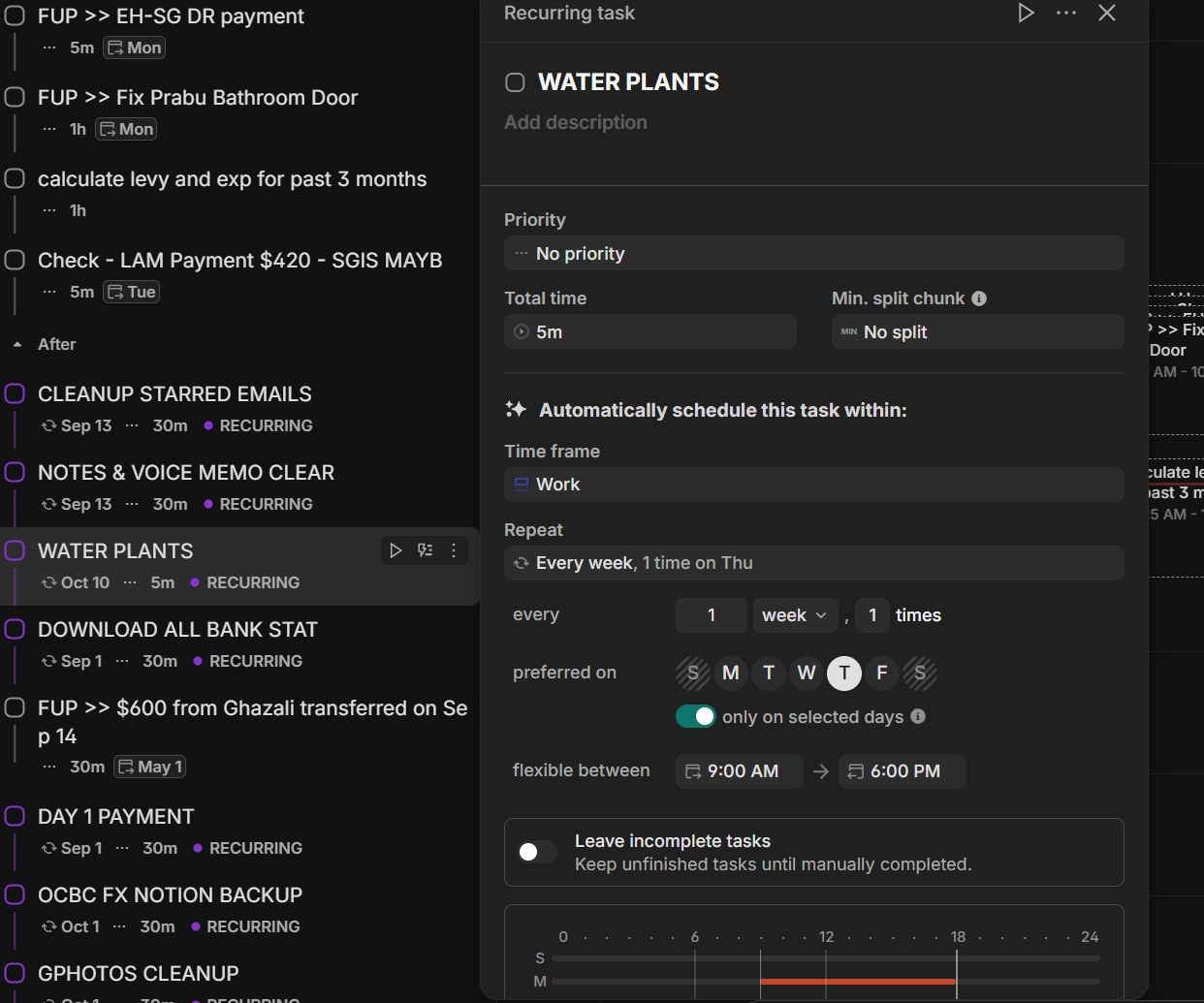
I have set a recurring task, WATER PLANTS, every Thu of the week.
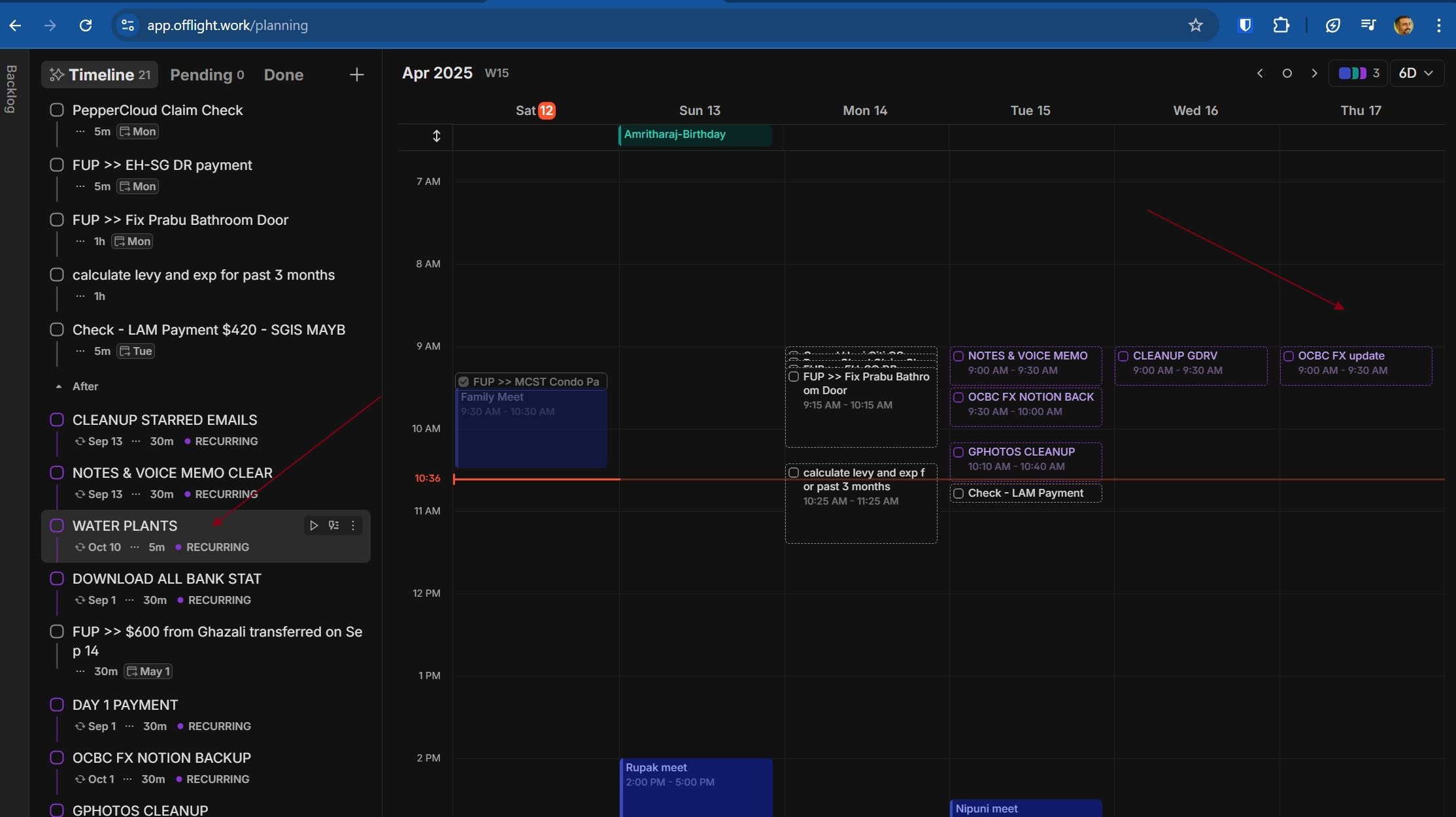
But I don’t see the recurring task showing up in my Timeline for next week. It is not appearing on the calendar as well.
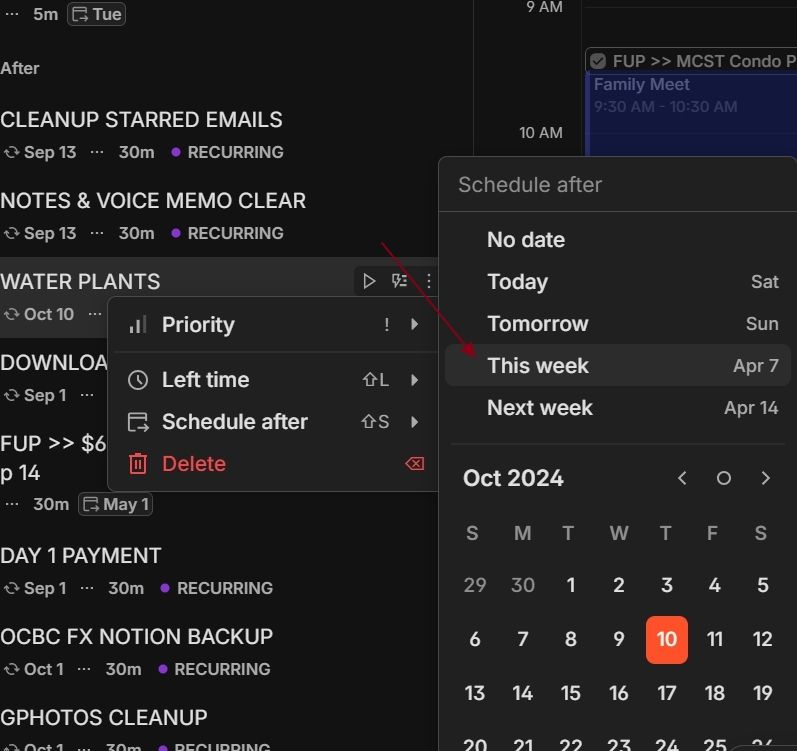
In the timeline, I click on the 3 dot button for the task and set “schedule after” this week. After some time, the date automatically resets to Oct 10.
Attached screenshots
Log in to comment and vote
Comments5
Dan
Apr 14, 2025
Hi @Karnan Jag First thing you can do is set the watering plants’ priority to asap.
This is happening because the priority for watering plants was no priority - which was pushed over by tasks that have higher priority.
We are looking into easier UX for this.
But for the mean while I hope this helps
Jag Karnan
Apr 14, 2025
Hi Dan
I updated the priority to ASAP. I expect the task to appear on coming Thu (Apr 17,2025), but it does not appear on Apr 17, 2025. If I manually update Schedule after to today, still the date seems to reset to Sep 19, 2025 which is too far out.
Dan
Apr 15, 2025
@Karnan Jag Hmm This is actually very strange. I will take a look into this.
(Sorry for late reply)
Dan
Apr 15, 2025
@Karnan Jag We rolled out some bug fix yesterday regarding this issue.
Can you check if this persists? If not can you try log out / login for and check one more time. We believe this should’ve been fixed
Jag Karnan
Apr 18, 2025
Thanks Dan, I deleted old tasks and recreated new. Now is OK. Thanks for your help